# Paylocity Bswift Instructions

[![Logon.jpg](https://benefits.scswiderski.net/uploads/images/gallery/2025-11/scaled-1680-/logon.jpg)](https://benefits.scswiderski.net/uploads/images/gallery/2025-11/logon.jpg)
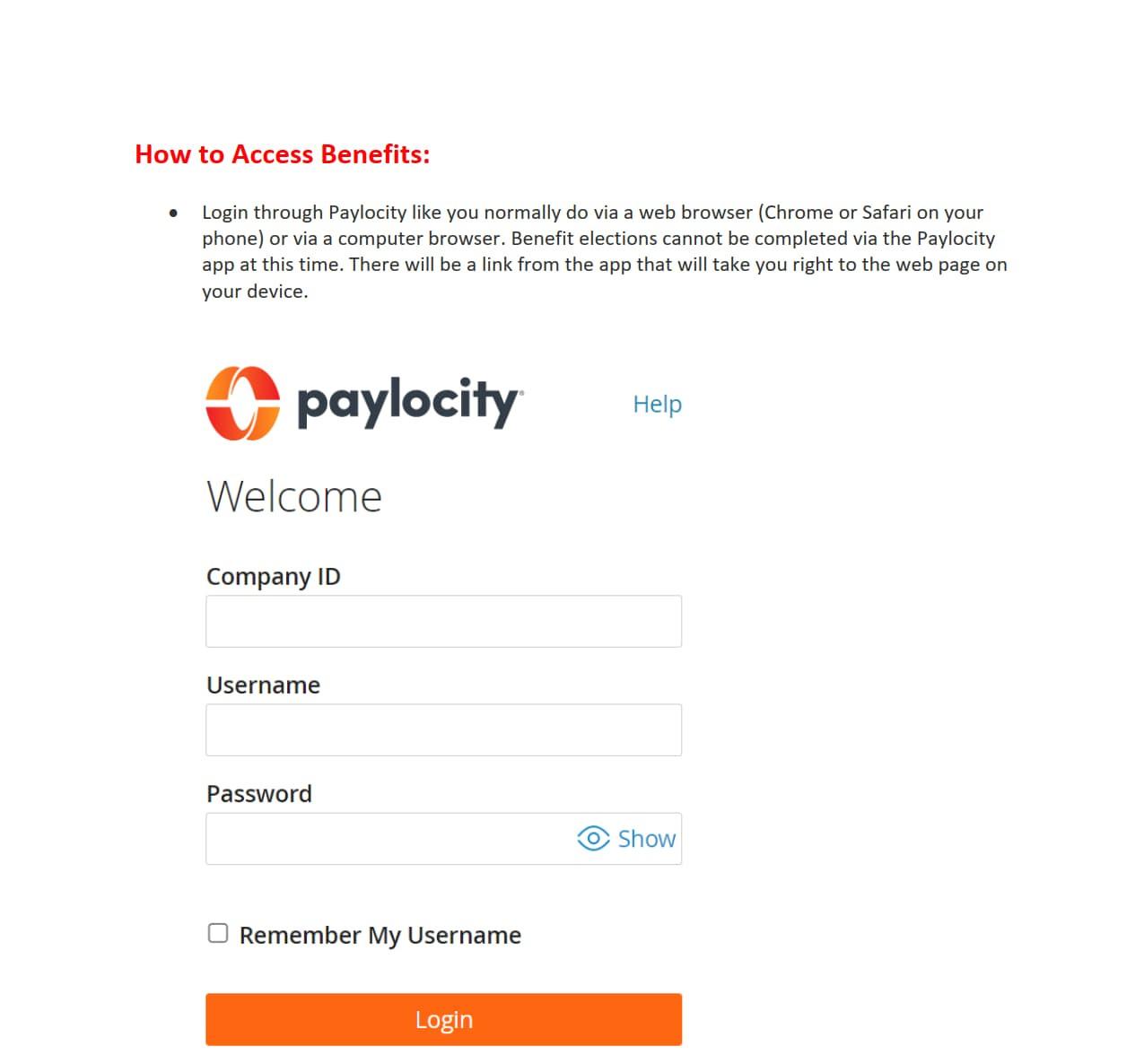
##### **This is the same login you have been using.**

<span style="text-decoration: underline;">**Company ID Reminder:**</span>

- 166794 - SC Swiderski, LLC (Leasing)
- 166795 - SC Swiderski Management (Development &amp; Corporate Ops)
- 166796 - SC Swiderski Construction (Field Ops &amp; Project Management)

Usernames should be your first initial followed by your last name. There are a few exceptions, and you know who you are. :)

\* Select "Forgot Password" if you don't remeber your credentials.

1. <span style="mso-fareast-font-family: 'Times New Roman';">[**Access bswift**](https://paylocity.egain.cloud/system/templates/selfservice/pctycss/help/customer/locale/en-US/portal/308600000001009/content/PCTY-68919/Access-bswift).</span>
2. <span style="mso-fareast-font-family: 'Times New Roman';">Select **Visit the Enrollment Center** from the homepage.   

    </span><span style="mso-fareast-font-family: 'Times New Roman'; mso-ligatures: none;">![](https://benefits.scswiderski.net/uploads/images/gallery/2025-11/embedded-image-1ode2mj6.jpeg)</span>
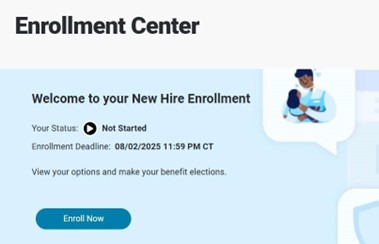
3. <span style="mso-fareast-font-family: 'Times New Roman';">Select **Enroll Now**.  
    </span><span style="mso-fareast-font-family: 'Times New Roman'; mso-ligatures: none;">![](https://benefits.scswiderski.net/uploads/images/gallery/2025-11/embedded-image-qvast0ss.jpeg)</span>
4. <span style="mso-fareast-font-family: 'Times New Roman';">Review **Employee Demographic Information:**</span>
- <span style="mso-fareast-font-family: 'Times New Roman';">Make any necessary updates in the **Self-Service Portal.** Those updates reflect in bswift within 24 hours.</span>
- <span style="mso-fareast-font-family: 'Times New Roman';">Select **I agree** at the bottom of the page.</span>
- <span style="mso-fareast-font-family: 'Times New Roman';">Select **Continue** in the right sidebar menu.</span>

6. <span style="mso-fareast-font-family: 'Times New Roman';">Review **Family Information:**</span>
- <span style="mso-fareast-font-family: 'Times New Roman';">Select **Edit** to change an existing dependent’s demographic information.</span>
- <span style="mso-fareast-font-family: 'Times New Roman';">Select **Add Dependents** to enter a new dependent.</span>
- <span style="mso-fareast-font-family: 'Times New Roman';">Select **I agree** at the bottom of the page.</span>
- <span style="mso-fareast-font-family: 'Times New Roman';">Select **Continue** in the right sidebar menu.</span>

8. <span style="mso-fareast-font-family: 'Times New Roman';">Enter Benefit Elections:</span>
- <span style="mso-fareast-font-family: 'Times New Roman';">Complete the following steps for Medical, Dental, and Vision Plans:</span>
1. <span style="mso-fareast-font-family: 'Times New Roman';">Select **View Plan Options.**</span>
2. <span style="mso-fareast-font-family: 'Times New Roman';">Select which **Dependents** to cover.</span>
3. <span style="mso-fareast-font-family: 'Times New Roman';">Select **Continue.**</span>
4. <span style="mso-fareast-font-family: 'Times New Roman';">Select **View plan details** to review any applicable plan information.</span>
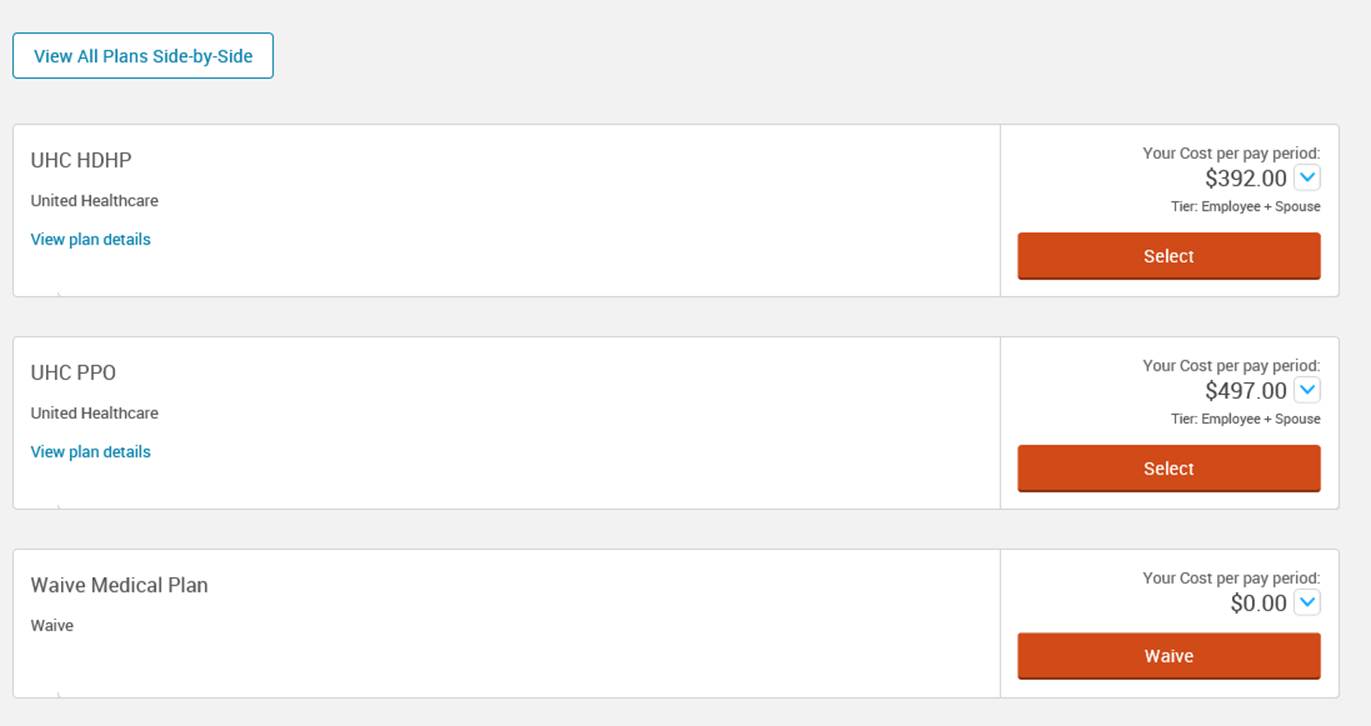
5. <span style="mso-fareast-font-family: 'Times New Roman';">Select the appropriate **Plan** or **Waive** option. (Example, ours will have Anthem plans)</span>


This screen will shouw our plans....  
<span style="mso-ligatures: none;">![](https://benefits.scswiderski.net/uploads/images/gallery/2025-11/embedded-image-fhgwtxbb.png)</span>

- <span style="mso-fareast-font-family: 'Times New Roman';">Complete the following steps for Health Savings Accounts (HSAs):</span>
1. <span style="mso-fareast-font-family: 'Times New Roman';">Select **View Plan Options.**</span>
2. <span style="mso-fareast-font-family: 'Times New Roman';">Enter the appropriate **Employee Contribution Amount.** The allowable contribution amount gets limited by any applicable employer contributions.</span>
3. <span style="mso-fareast-font-family: 'Times New Roman';">Select **Calculate Costs** to see what the annual amount entered breaks down to on a per-pay basis.</span>
4. <span style="mso-fareast-font-family: 'Times New Roman';">Select **Continue.**  
    </span><span style="mso-fareast-font-family: 'Times New Roman'; mso-ligatures: none;">![](https://benefits.scswiderski.net/uploads/images/gallery/2025-11/embedded-image-ggcf3h98.png)</span>

- <span style="mso-fareast-font-family: 'Times New Roman';">Complete the following steps for Basic Life and Accidental Death and Dismemberment (AD&amp;D) Plans:</span>
1. <span style="mso-fareast-font-family: 'Times New Roman';">Employees do not need to make an election in these plans if the coverage is provided by the company. These benefits are typically provided by the employer at no cost to the employee.</span>
2. <span style="mso-fareast-font-family: 'Times New Roman';">Select **View Information** to see more plan details.</span>

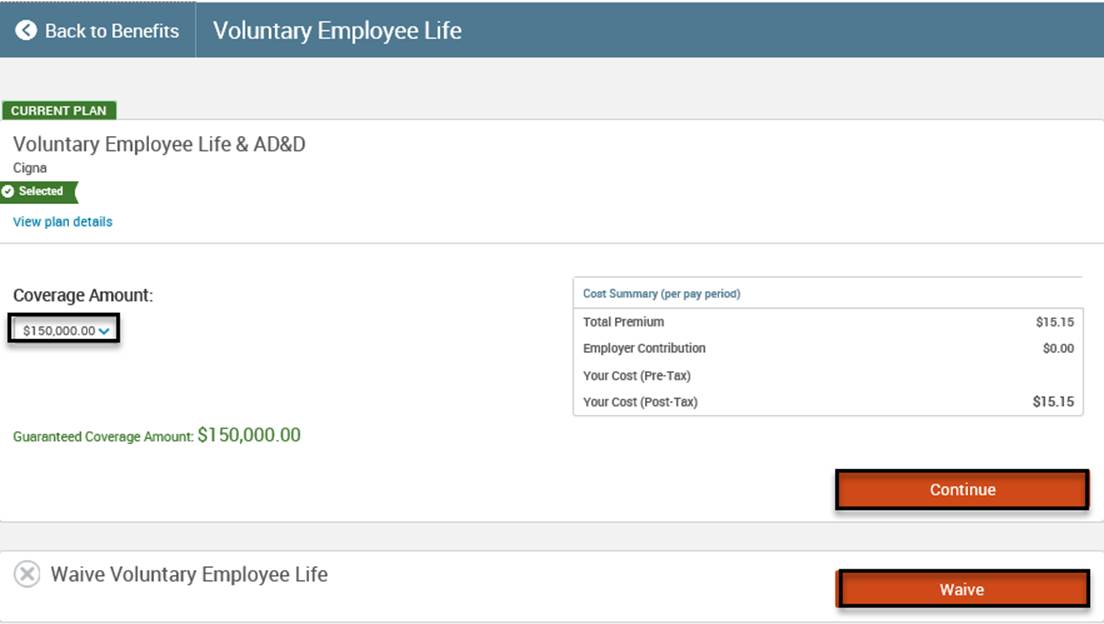
- <span style="mso-fareast-font-family: 'Times New Roman';">Complete the following steps for Voluntary Employee, Spouse, Domestic Partner, or Child Life and AD&amp;D Plans:</span>
1. <span style="mso-fareast-font-family: 'Times New Roman';">Select **View Plan Options.**</span>
2. <span style="mso-fareast-font-family: 'Times New Roman';">Select **View plan details** to review any applicable plan information.</span>
3. <span style="mso-fareast-font-family: 'Times New Roman';">Select appropriate **Plan** or **Waive** option.</span>
4. <span style="mso-fareast-font-family: 'Times New Roman';">Select the appropriate **Coverage Amount** in the dropdown menu.</span>
5. <span style="mso-fareast-font-family: 'Times New Roman';">Select **Continue.**  
    </span><span style="mso-fareast-font-family: 'Times New Roman'; mso-ligatures: none;">![](https://benefits.scswiderski.net/uploads/images/gallery/2025-11/embedded-image-cqyqzuwu.png)</span>

- <span style="mso-fareast-font-family: 'Times New Roman';">Complete the following steps for Employer Provided Short Term Disability (STD) or Long Term Disability (LTD) Plans:</span>
1. <span style="mso-fareast-font-family: 'Times New Roman';">Employees do not need to make an election in these plans. These benefits are typically provided by the employer at no cost to the employee.</span>
2. <span style="mso-fareast-font-family: 'Times New Roman';">Select **View Information** to see additional plan details.</span>

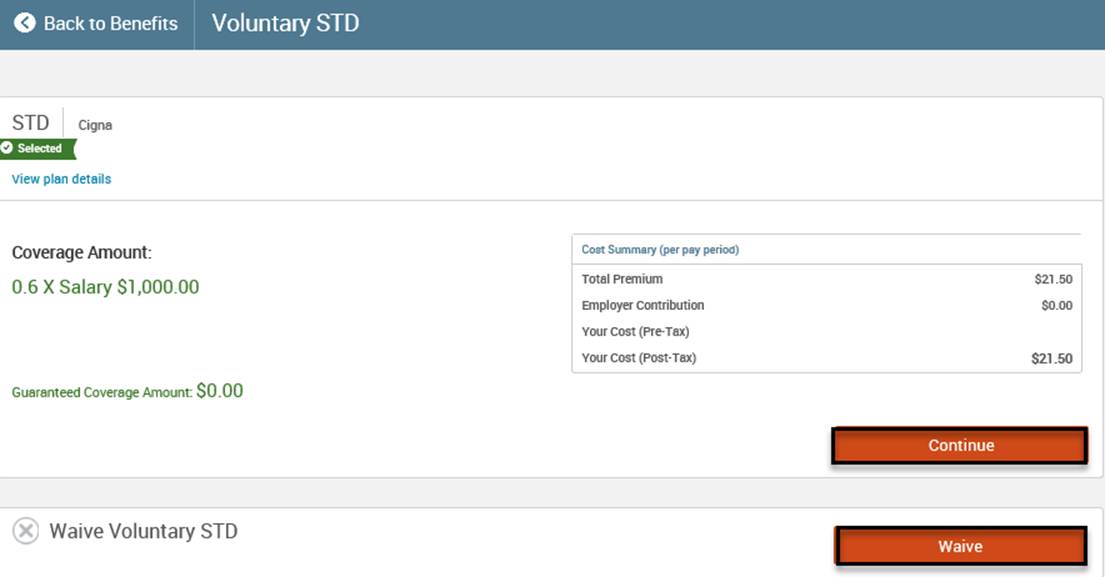
- <span style="mso-fareast-font-family: 'Times New Roman';">Complete the following steps for Voluntary Short Term Disability (STD) or Long Term Disability (LTD) Plans:</span>
1. <span style="mso-fareast-font-family: 'Times New Roman';">Select **View Plan Options.**</span>
2. <span style="mso-fareast-font-family: 'Times New Roman';">Select **View plan details** to review any applicable plan information.</span>
3. <span style="mso-fareast-font-family: 'Times New Roman';">Select the appropriate **Plan** or **Waive** option.</span>
4. <span style="mso-fareast-font-family: 'Times New Roman';">Select **Continue** to enroll in the plan.  
    </span><span style="mso-fareast-font-family: 'Times New Roman'; mso-ligatures: none;">![](https://benefits.scswiderski.net/uploads/images/gallery/2025-11/embedded-image-gyqyb1o5.png)</span>

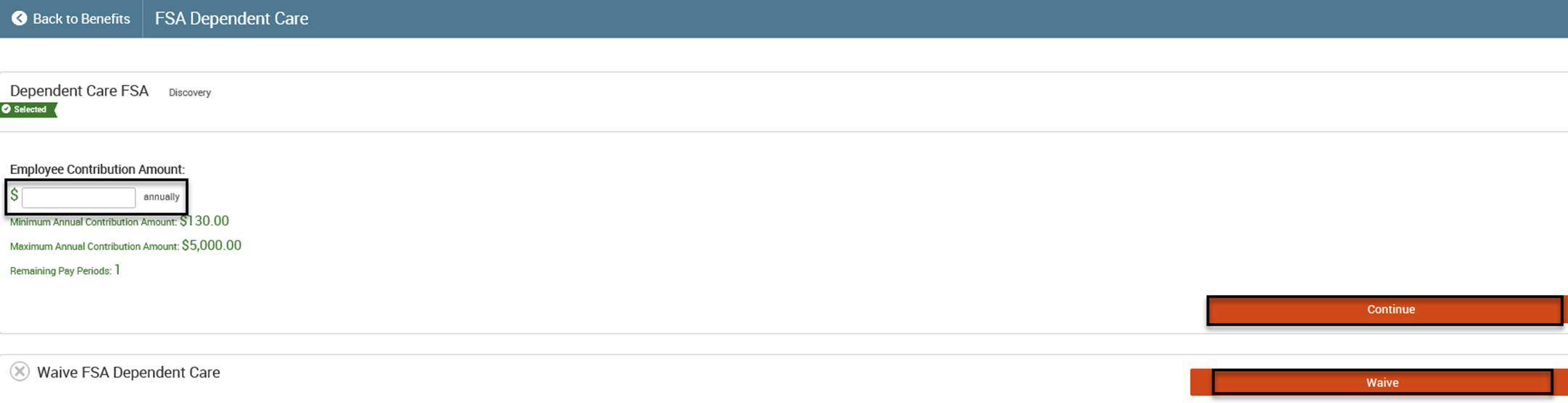
- <span style="mso-fareast-font-family: 'Times New Roman';">Complete the following steps for Flexible Spending Accounts (Healthcare, Dependent Care, Parking, &amp; Transportation):</span>
1. <span style="mso-fareast-font-family: 'Times New Roman';">Select **View Plan Options.**</span>
2. <span style="mso-fareast-font-family: 'Times New Roman';">Select the appropriate **Plan** or **Waive** option.</span>
3. <span style="mso-fareast-font-family: 'Times New Roman';">Enter the appropriate Employee Contribution Amount.</span>
4. <span style="mso-fareast-font-family: 'Times New Roman';">Select **Calculate Costs** to see what the annual amount entered breaks down to on a per-pay basis.</span>
5. <span style="mso-fareast-font-family: 'Times New Roman';">Select **Continue.**  
    </span><span style="mso-fareast-font-family: 'Times New Roman'; mso-ligatures: none;">![](https://benefits.scswiderski.net/uploads/images/gallery/2025-11/embedded-image-ldhdyvhp.png)</span>

- <span style="mso-fareast-font-family: 'Times New Roman';">Complete the following steps for Information Only Plans:</span>
1. <span style="mso-fareast-font-family: 'Times New Roman';">Employees do not enroll in these plans in the bswift system.</span>
2. <span style="mso-fareast-font-family: 'Times New Roman';">Select **View Information** for more information on how to enroll.</span>


7. <span style="mso-fareast-font-family: 'Times New Roman';">Select **Continue** in the right sidebar menu after making all selections.</span>
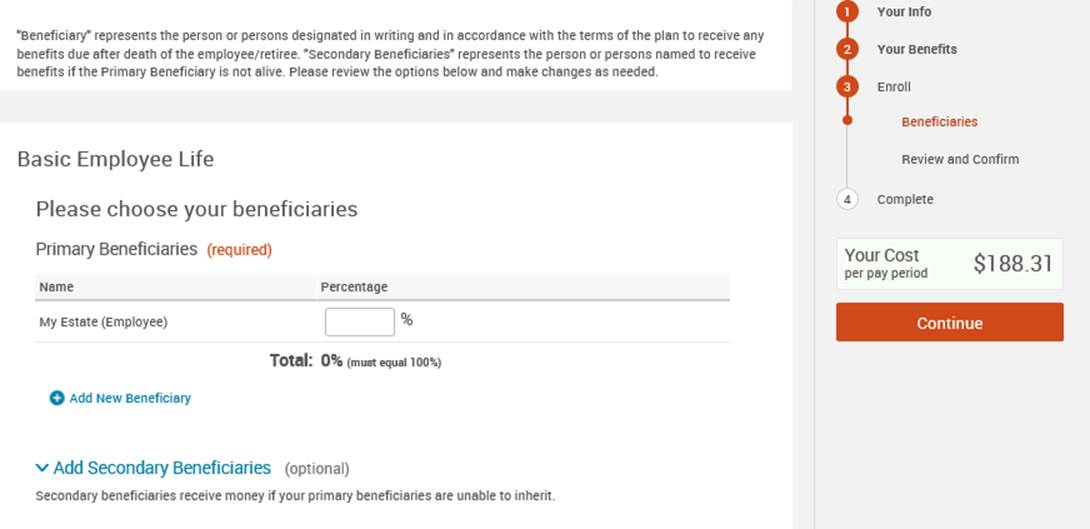
8. <span style="mso-fareast-font-family: 'Times New Roman';">Enter any necessary **Beneficiary** Information.</span>
9. <span style="mso-fareast-font-family: 'Times New Roman';">Select **Continue.**  
    </span><span style="mso-fareast-font-family: 'Times New Roman'; mso-ligatures: none;">![](https://benefits.scswiderski.net/uploads/images/gallery/2025-11/embedded-image-ypoyqkh9.png)</span>
10. <span style="mso-fareast-font-family: 'Times New Roman';">Review all selections.</span>
11. <span style="mso-fareast-font-family: 'Times New Roman';">Select **Edit Selection** to make changes to any elections.</span>
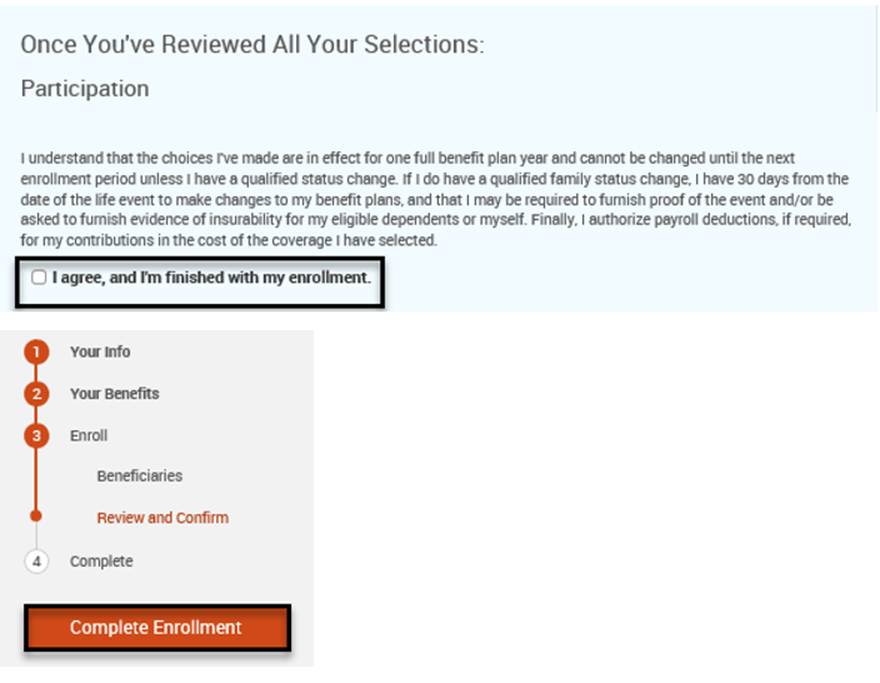
12. <span style="mso-fareast-font-family: 'Times New Roman';">Select **I agree, and I’m finished with my enrollment** and **Complete Enrollment** to submit the enrollment.  
    </span><span style="mso-fareast-font-family: 'Times New Roman'; mso-ligatures: none;">![](https://benefits.scswiderski.net/uploads/images/gallery/2025-11/embedded-image-4iq38vxb.png)</span>
13. <span style="mso-fareast-font-family: 'Times New Roman';">Select **View** to view a Confirmation Statement outlining the benefits elected. </span>
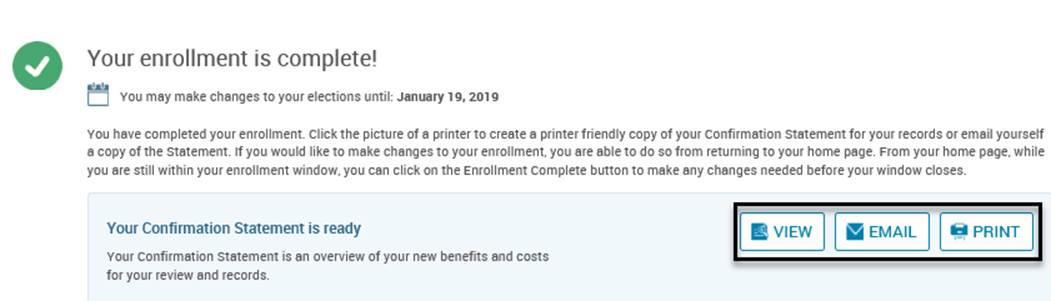
14. <span style="mso-fareast-font-family: 'Times New Roman';">Select **Email** to receive an email containing a Confirmation Statement outlining the benefits elected.</span>

<span style="font-size: 12.0pt; font-family: 'Aptos',sans-serif; mso-fareast-font-family: 'Times New Roman'; mso-bidi-font-family: Aptos; mso-ligatures: standardcontextual; mso-ansi-language: EN-US; mso-fareast-language: EN-US; mso-bidi-language: AR-SA;">Select **Print** to print out a Confirmation Statement outlining the benefits elected.  
</span><span style="font-size: 12.0pt; font-family: 'Aptos',sans-serif; mso-fareast-font-family: 'Times New Roman'; mso-bidi-font-family: Aptos; mso-ansi-language: EN-US; mso-fareast-language: EN-US; mso-bidi-language: AR-SA;">![](https://benefits.scswiderski.net/uploads/images/gallery/2025-11/embedded-image-06exnsi4.png)</span>

##### **<span style="font-size: 12.0pt; font-family: 'Aptos',sans-serif; mso-fareast-font-family: 'Times New Roman'; mso-bidi-font-family: Aptos; mso-ansi-language: EN-US; mso-fareast-language: EN-US; mso-bidi-language: AR-SA;">Questions?</span>**

<span style="font-size: 12.0pt; font-family: 'Aptos',sans-serif; mso-fareast-font-family: 'Times New Roman'; mso-bidi-font-family: Aptos; mso-ansi-language: EN-US; mso-fareast-language: EN-US; mso-bidi-language: AR-SA;">Reach out to your HR Generalist for more assistance.</span>

- <span style="font-size: 12.0pt; font-family: 'Aptos',sans-serif; mso-fareast-font-family: 'Times New Roman'; mso-bidi-font-family: Aptos; mso-ansi-language: EN-US; mso-fareast-language: EN-US; mso-bidi-language: AR-SA;">Melissa - melissar@scswiderski.com</span>
- <span style="font-size: 12.0pt; font-family: 'Aptos',sans-serif; mso-fareast-font-family: 'Times New Roman'; mso-bidi-font-family: Aptos; mso-ansi-language: EN-US; mso-fareast-language: EN-US; mso-bidi-language: AR-SA;">Katie - katie.popelka@scswiderski.com</span>